
How to claim your business in ChatGPT and verify it
Claiming your ChatGPT business profile lets you correct what it says about you. Here is how to verify it and what to check first.
Ralph Desmornes
Marketing Strategist and Consultant
- What OpenAI launched and who can claim it
- Before you start: choose the claimant, the account and the method
- How to claim and verify your business in ChatGPT, step by step
- What each stage of verification gives you
- Read the terms before you accept
- What Business Hub insights can and cannot tell you about AI visibility
- FAQ
- What this means for marketing leads and founders
- Next step
- About the author
- Related reading
- Sources
- Title
OpenAI opened Business Hub on November 10, so any eligible company can now claim its ChatGPT profile. This guide covers the claim and verification flow, what each step gives you, and what to check before you accept the terms.
On November 10, 2026, OpenAI launched Businesses in ChatGPT in beta. The centerpiece is Business Hub, where a company can claim its profile, correct what ChatGPT shows about it and see how often it gets mentioned. OpenAI says 1.2 billion people use ChatGPT each week. Here is how to claim your business in ChatGPT and verify it.
The short answer: To claim your business in ChatGPT, open Business Hub from the ChatGPT sidebar, search for your listing, and prove you represent it by business phone, email, website domain or Shopify. After OpenAI approves the claim, finish a Persona identity check. Only then does the profile earn its verified badge and let you publish edits.
By the end, you will know which verification method fits your business, who should do the claim, and what the profile will and will not tell you.
What OpenAI launched and who can claim it
Business Hub is free, and any eligible business located where ChatGPT is available can claim a profile there. OpenAI’s help page says you do not need an Ads account or a ChatGPT Enterprise agreement. Existing Enterprise customers and advertisers work with their OpenAI representative instead.
A claimed profile lets you provide business details and product information, and see how people engage with your business in ChatGPT. Business Agents are a separate layer. A Business Agent is a labeled chat inside ChatGPT that answers shopper questions, and at launch it is limited to eligible US ecommerce and online service businesses.
Claiming does not buy rankings. OpenAI states that a claim does not guarantee more visibility or give you control over ChatGPT’s independent recommendations, according to HomePros News.
| Business type | Claim route |
|---|---|
| Online business with a website | Claim in Business Hub, in any market where ChatGPT is available |
| Enterprise customer or advertiser | Work with your OpenAI representative |
| Ecommerce or online service, US | Claim first, then apply to build a Business Agent |
| Local store or restaurant | One third-party guide reports existing US listings only |
Before you start: choose the claimant, the account and the method
Decide three things before you open Business Hub. They determine whether the claim takes one sitting or several days.
The claimant. OpenAI’s Businesses in ChatGPT policy says you may manage a profile only if you own the business or are authorized to represent it. The Terms add that accepting them means you represent that you have authority to bind the organization. The person who claims will also complete the identity check, so pick someone who can show a government ID.
The account. Use a company-owned ChatGPT account, not someone’s personal login. The profile attaches to the account you claim with, as MADX Digital notes, so a personal login creates a handoff problem when that person leaves.
The method. Business Hub shows only the verification methods that apply to your business. Pick the one you can finish today.
| Method | What you need | Best fit |
|---|---|---|
| Website domain (DNS TXT) | Access to your DNS provider | Any business with a website and DNS access |
| Business email | Access to the listed inbox | Teams that control the listed address |
| Business phone | Someone who can take a text or automated call | Businesses with a staffed main line |
| Shopify store | Login to the store | Shopify merchants |
DNS is the cleanest option when you control the domain. It does not depend on someone answering a phone or reading a shared inbox. The cost is a trip to whoever manages DNS, which is often an agency or an IT contact.
How to claim and verify your business in ChatGPT, step by step
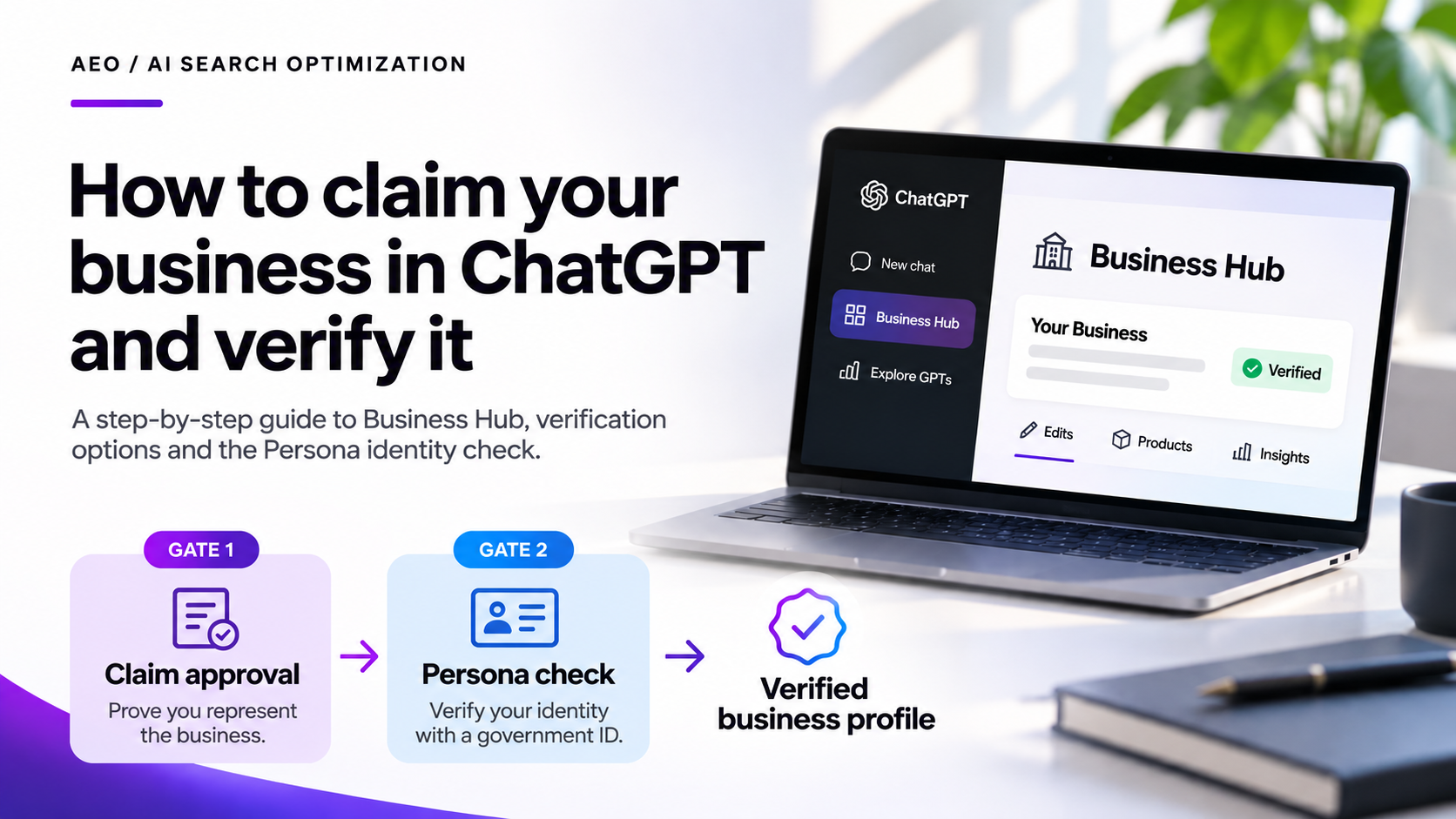
The flow has two gates. OpenAI reviews the claim first. A Persona identity check follows. OpenAI’s help page says claiming alone does not give a profile the verified badge.
- Open Business Hub. Sign in to ChatGPT and open Business Hub from the sidebar. Search for your business by name.
- Select your listing. Pick the listing that matches your business and confirm the ChatGPT account that will manage it. If you see Contact support instead of a claim option, the listing is locked, and you request access through OpenAI support.
- Choose a verification method. Select one of the methods Business Hub shows and follow the prompts.
- Verify by domain, if you chose DNS. Add the TXT record Business Hub gives you at your DNS provider. Return to ChatGPT and select Verify domain.
- Wait for claim approval. OpenAI reviews the claim and emails the decision. OpenAI publishes no fixed review time. Third-party guides report anything from about two hours to a few days.
- Complete the Persona check. Open the Business tab, select your profile, find Complete verification with Persona, and select Verify. The ID belongs to the person managing the profile, not the company. Match the business name and address to your official records.
- Confirm the badge. After Persona approves you, the profile shows the verified badge and you can publish edits.
Adding the DNS record. Business Hub issues a TXT record with a host and a value. In the claim I am running for a client, the host read openai-business-claim. Some third-party guides report a different host, openai-business-profile, so copy the host and value from your own screen, not from any tutorial, this one included.
- Add the TXT record at the provider that actually hosts your DNS. It can differ from your registrar, for example when your nameservers point to Cloudflare.
- Paste the value exactly as shown, including its prefix.
- If your provider appends your domain automatically, enter only the host prefix. Delta V Digital and MADX Digital report that a full host name creates a doubled domain and verification fails.
- Confirm the record is publicly visible with a DNS lookup tool, then select Verify domain.
Third-party guides also report that the record expires. Add yours soon after Business Hub issues it, and check the expiry shown on your own screen.
What each stage of verification gives you
An approved claim gets you into Business Hub. Most of the useful features sit behind the Persona approval, so budget for both gates.
| Stage | What it opens |
|---|---|
| Claim approved | Your business appears in Business Hub |
| Persona approved | The verified badge, publishing edits, product feeds and Insights, per OpenAI’s help page and Triaza’s walkthrough |
| Business Agent | Available only if your business is an eligible US ecommerce or online service, per Quartz |
Third-party guides report that edits pass through OpenAI review before they go live, so build in time before you promise a client that a correction will appear in ChatGPT on a given day.
Read the terms before you accept
OpenAI’s Businesses in ChatGPT Terms, last updated November 9, 2026, apply as soon as you enable, access or use the product, or provide data through it. By doing so you agree to them and represent that you have authority to bind the organization. Read these sections first:
- Listings exist without you (4.1). OpenAI may create and display a listing whether or not you claim it. Claiming does not give you exclusive control, OpenAI may supplement, edit or replace what you submit, and verification is not guaranteed.
- Public details are licensed for good (2.2, 4.2). The display license on your basic business information is perpetual and irrevocable. That covers name, address, contact details, category, opening hours and website.
- Feeds override your opt-outs (3). If you provide a product feed, you agree that OpenAI’s crawlers can access your sites. You also agree that any text and data mining opt-out you reserve has no effect against OpenAI.
- Insight Data is confidential (6). You may use it only to measure, analyze and report on your use of the product. It is OpenAI’s Confidential Information, and you may share it only with service providers acting on your behalf.
- You carry the indemnity (9). You indemnify OpenAI against claims tied to your data, your business, your listing and any Business Agent.
- You waive claims (10.1 to 10.3). You covenant not to sue and release OpenAI from Covered Claims, known or unknown. Those include claims over content on your own websites, past or present. Ending the agreement does not require OpenAI to delete products that already used your data.
- AI calls (4.1). OpenAI’s AI assistant may call your business on behalf of users. The Terms link an opt-out.
These are plain-language summaries of OpenAI’s text, not legal advice. For client work, have counsel review sections 4.2, 9 and 10 before anyone accepts.
What Business Hub insights can and cannot tell you about AI visibility
Business Hub reports mentions, website clicks and discovery topics. For an online business, OpenAI’s help page says a mention counts when ChatGPT references the business’s website. Discovery topics are the common themes in conversations where the site is cited. OpenAI says it does not share users’ conversations with businesses.
I have not yet reached the Insights dashboard in the client claim I am running, so this section reflects OpenAI’s help page and published guides, not my own numbers.
That makes Business Hub the first source of ChatGPT visibility data that comes from ChatGPT itself. It is still one source, and the rules for reporting any single source apply. Four checks keep the numbers defensible with a client:
- Scope. The data covers ChatGPT only. It says nothing about Perplexity, Gemini or Google AI Overviews, so do not present it as share of voice.
- Data age. A new profile has no history. State the date tracking began, and do not read a blank metric as zero. Two third-party guides report that metrics stay blank until activity passes a threshold.
- Tie-out. Different tools never report identical numbers, so confirm yours land close. Before you report the click count, compare it with ChatGPT referral sessions in your analytics. Label where each number comes from and its date range: Business Hub Insights for clicks, your analytics platform for sessions. Insights counts clicks on links to your site, while analytics counts sessions that arrive and survive consent and tracking settings, so expect a gap. State how close is close enough before you look. If the numbers are close, report both with their sources. If they are far apart, name the likely cause before you share either.
- Claims. A mention count shows presence. It does not show that ChatGPT recommended you. OpenAI says claiming does not change its independent answers.
The same discipline sits behind how I build SEO reports that track a content strategy. For the work of earning the citations themselves, see How to Get Your Brand Cited by AI: The AEO Playbook.
One restriction matters for anyone who reports on this data. Section 6 of OpenAI’s Terms treats Insight Data as OpenAI’s Confidential Information. Share the numbers with the client and their service providers, and do not publish them in articles or case studies without OpenAI’s written permission.
FAQ
How long does it take to claim and verify a business in ChatGPT?
OpenAI does not publish a fixed review time. Guides report claim approvals ranging from about two hours to a few days, and the Persona review taking days. Plan for days, not minutes. Edits you publish afterward also go through review.
Is Business Hub free?
Yes, at launch. OpenAI’s help page says you do not need an Ads account or a ChatGPT Enterprise agreement to claim an eligible business. The product is in beta, so pricing could change.
Does claiming my business improve how often ChatGPT recommends it?
No guarantee. OpenAI states that claiming does not guarantee more visibility or give you direct control over ChatGPT’s independent recommendations, and that advertising does not influence them, per HomePros News. A claimed profile gives you accurate details and first-party mention data.
What if my listing is locked or someone else already claimed it?
If Business Hub shows Contact support instead of a claim option, the listing is locked and OpenAI support has to open it. For a listing someone else claimed, Delta V Digital and Gaurav Tiwari report a Dispute ownership option that requires identity verification.
Can an agency claim a business for a client?
Yes, with the client’s authorization, but authorization has limits. OpenAI’s policy allows owners and authorized representatives. The Terms also require the person who accepts them to have authority to bind the client’s organization, and they warrant authority to represent the business (preamble and section 7). Get that authority in writing and use a company-owned ChatGPT account.
What this means for marketing leads and founders
Claim the profile this month if your business has a website and you can show authority to represent it. The claim is free, and it gives you a place to correct what ChatGPT shows about you and a first-party mention count to baseline against.
Start with the terms, then the account. Have the terms reviewed, use a company-owned ChatGPT account, and pick DNS verification if you control the domain. Budget days for the two review gates, and do not promise a client a go-live date for profile edits.
Treat the insights as one source. They cover ChatGPT only, and OpenAI says claiming does not change its independent answers. Use the claim to measure and to correct your details. Earning the citations is still separate work.
This does not apply the same way to every business. Business Agents are limited to eligible US ecommerce and online service businesses for now, and local businesses may be limited to existing listings.
Next step
Want this working for your brand? I help B2B teams turn search and AI visibility into pipeline. Book a discovery call and we will look at where you stand today.
About the author
Ralph Desmornes is a Marketing Strategist and Consultant who works at the intersection of strategy, search and AI. Over more than ten years in digital marketing, he has moved from specialist to search lead. His background includes university SEO partnerships and digital PR, performance marketing and site development, and AI visibility measurement. He now advises marketing leaders and founders on getting found, cited and chosen in AI answers, through Eclipse Digital. He is based in Orlando and is Membership Chair of AMA Orlando. Connect with him on LinkedIn.
Related reading
- How to Get Your Brand Cited by AI: The AEO Playbook
- SEO Reporting: How to Build a Report That Tracks Your Content Strategy
Sources
- OpenAI, Introducing Businesses in ChatGPT, November 10, 2026
- OpenAI, Businesses in ChatGPT Terms, last updated November 9, 2026
- OpenAI, Businesses in ChatGPT policy, updated November 10, 2026
- OpenAI Help Center, Setting up your business on ChatGPT, accessed November 13, 2026
- Quartz, OpenAI adds verified business profiles and AI agents to ChatGPT, November 2026
- HomePros News, OpenAI rolls out ChatGPT business profiles, November 12, 2026
- Delta V Digital, How to claim your business in ChatGPT, November 2026
- Gaurav Tiwari, How to Claim Your Business in ChatGPT, November 12, 2026
- MADX Digital, ChatGPT Business Hub: how to claim your business, November 2026
- Triaza, How to Claim Your Business in ChatGPT, November 2026
I help B2B teams turn search and AI visibility into pipeline. Book a call and we will look at where you stand today.
Book a discovery call